| |
 |
|
|
|
User's Guide - Articles
|
 Articles Articles
The Articles section allows you to read the various articles you have submitted on the site or submit new articles for review and possible publishing to the directory (may be disabled by site administrator).
|
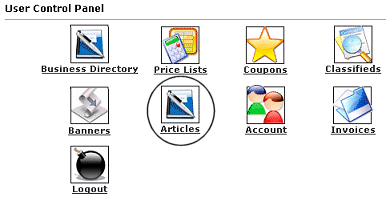 |
To review or add new articles, you will want to login to your account. Click on the icon that is circled in this image (Articles). |
|
If you do not currently have articles submitted you will have the option to (click on)Submit an article.
Article Details:
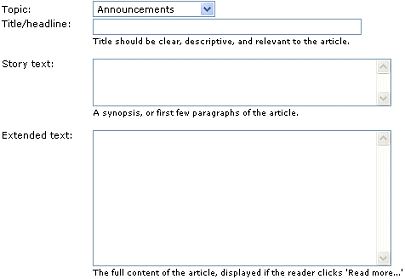 |
Topic: This will be a drop down of the available Topic Categories in which your article can be displayed.
Title/headline: This is what is viewable before clicking to read the actual details of the article. Please keep this limited to no more than a few words.
Short text: This should be a brief overview or the first few paragraphs of the article, if it is lengthy.
Extended text: This is where you will can write out the full article. This would be displayed when a visitor interested in finishing the article would click 'Read more'.
|
To make your article more interesting or easier to read there is some coding listed on the right side of the Article Detail page
|
Use the following codes to apply formatting to your article:
[B]Bold[/B]
Make text appear bold
[I]Italic[/I]
Make text appear italicized
[U]Underline[/U]
Make text appear underlined
[CODE]Preformatted[/CODE]
Retain spacing/formatting of text
[IMG=http://site.com/img.jpg]
Insert an image
|
[URL=http://site.com]Link[/URL]
Insert a hyperlink (change the words 'site.com' with the website you want to link to)
[QUOTE]Quoted text[/QUOTE]
Quote text from another message
[LIST]
[*]Item
[*]Item
[/LIST]
Create a bulleted list; use [*] for each bullet 
|
When you have finished creating your article, click the 'Submit Article' button at the bottom. Your Article may need to be reviewed before being posted to our site.
|
|
 |
|
|
Articles:
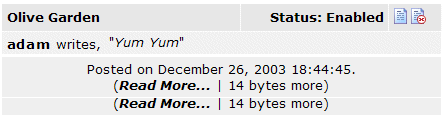
Once you have an submitted an article, you will see it listed when you return to the Articles section of your User Control panel. Here you have the option to edit  or delete or delete  an article (if the administrator has allowed that option to you). an article (if the administrator has allowed that option to you).
|
|
Close this browser window to return to the Guide.
|
|
Copyright 2024, TheAttleboroZone.com
|
|
|
|
Users Guide
|

to learn how to use all of the GREAT features on this site.
|
|
|
